How to read the DOM? Operation and use of Volumetrica Web
In this post
November 9, 2026.
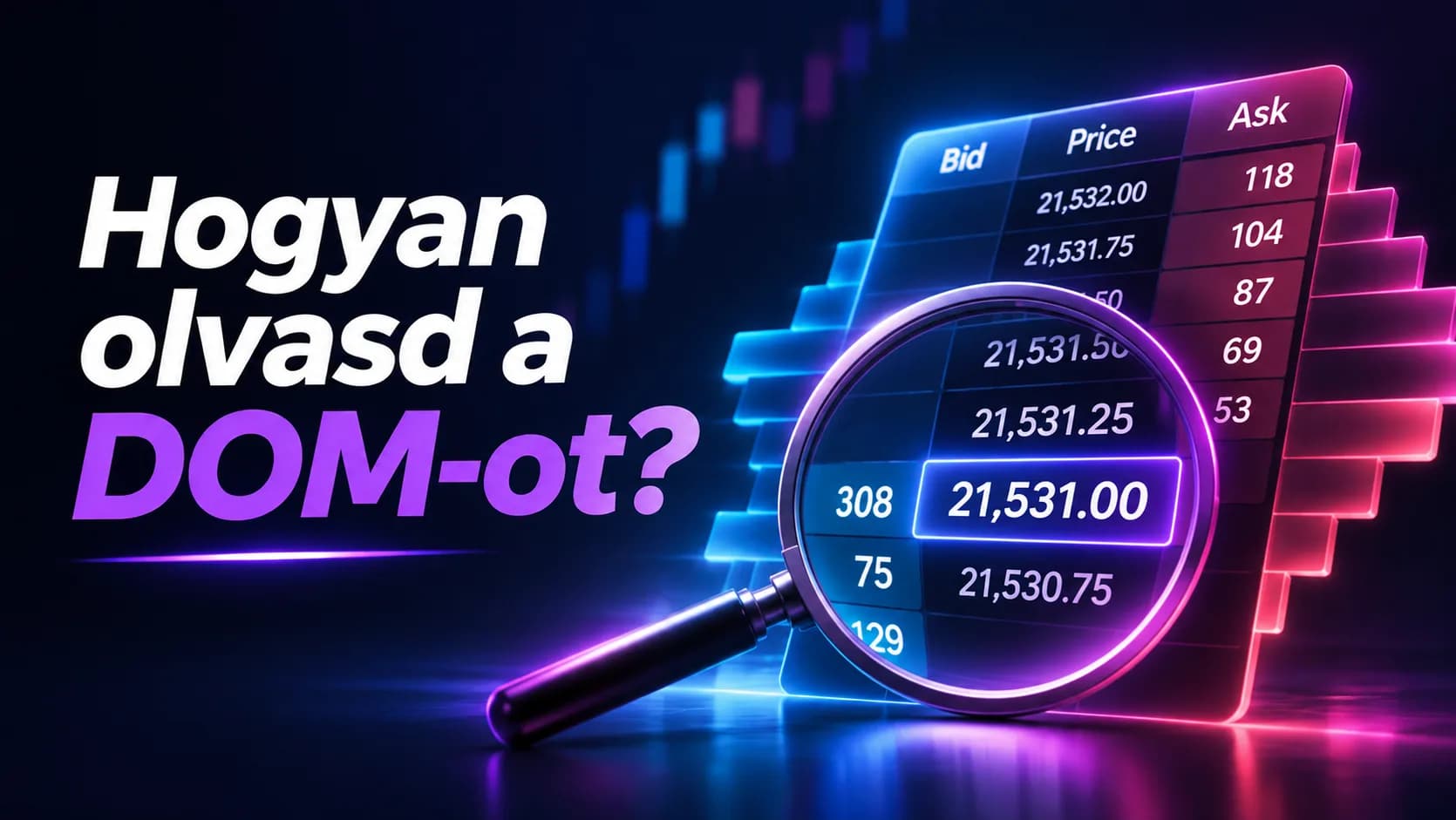
On a futures chart you can follow price movements, but you generally don't see the quantity of buy and sell orders waiting at individual price levels. The DOM (Depth of Market) displays this information on a continuously updating price ladder.
The DOM shows how the visible order book is distributed around the current price, and how market depth changes during trading.
On the Volumetrica Web browser platform, the DOM is also suitable for direct order management. In this guide, we present the most important data, the operation of the interface, and the details worth paying attention to during its use.
What does the DOM show?
The central element of the DOM is the price ladder. Every row of it indicates a price level, next to which the quantity of waiting limit orders on the buy and sell side is visible.
The three main columns:
Bid: the quantity of buy limit orders waiting at the given price level.
Price: the price levels of the instrument.
Ask: the quantity of sell limit orders waiting at the given price level.
The highest bid offer is the best bid, and the lowest ask offer is the best ask. The price difference between the two is called the bid-ask spread.
If, for example, at one of the price levels of the NQ, 45 appears in the Bid column, according to the displayed market data, that means a total of 45 contracts of buy limit orders waiting at that price level.
Why do the quantities visible in the DOM change?
The order book is updated continuously. New limit orders can arrive at a given price level, previously placed orders can be modified or canceled, and trades can be executed.
Let's assume that at a price level the Bid column first shows 120 contracts, and a few moments later only 75.
The displayed buy quantity therefore decreased by 45 contracts.
From this in itself, it cannot be determined what part of the change originated from executed trades, order cancellations, or other modifications.
It is similarly important that a larger quantity appearing at a price level does not guarantee the later behavior of the price either.
Visible liquidity can change quickly, and the order book in itself does not give a complete picture of the intentions of market participants.
DOM and Time & Sales: what data do they show?
On Volumetrica Web, alongside the DOM, the Time & Sales (T&S) function is also available.
The DOM displays the limit orders waiting at individual price levels, while Time & Sales tracks the data of already executed trades in chronological order.
The difference between the two data is essential: 100 contracts waiting at a given price level and 100 contracts actually executed at the exact same place mean different market information.
The market depth available in the DOM can also depend on the data connection.
The CME distinguishes between Market by Price (MBP) aggregated per price level and Market by Order (MBO) data containing more detailed information about individual orders.
The detail of the displayed book is determined by the data transmitted to the platform.
Opening the DOM on Volumetrica Web
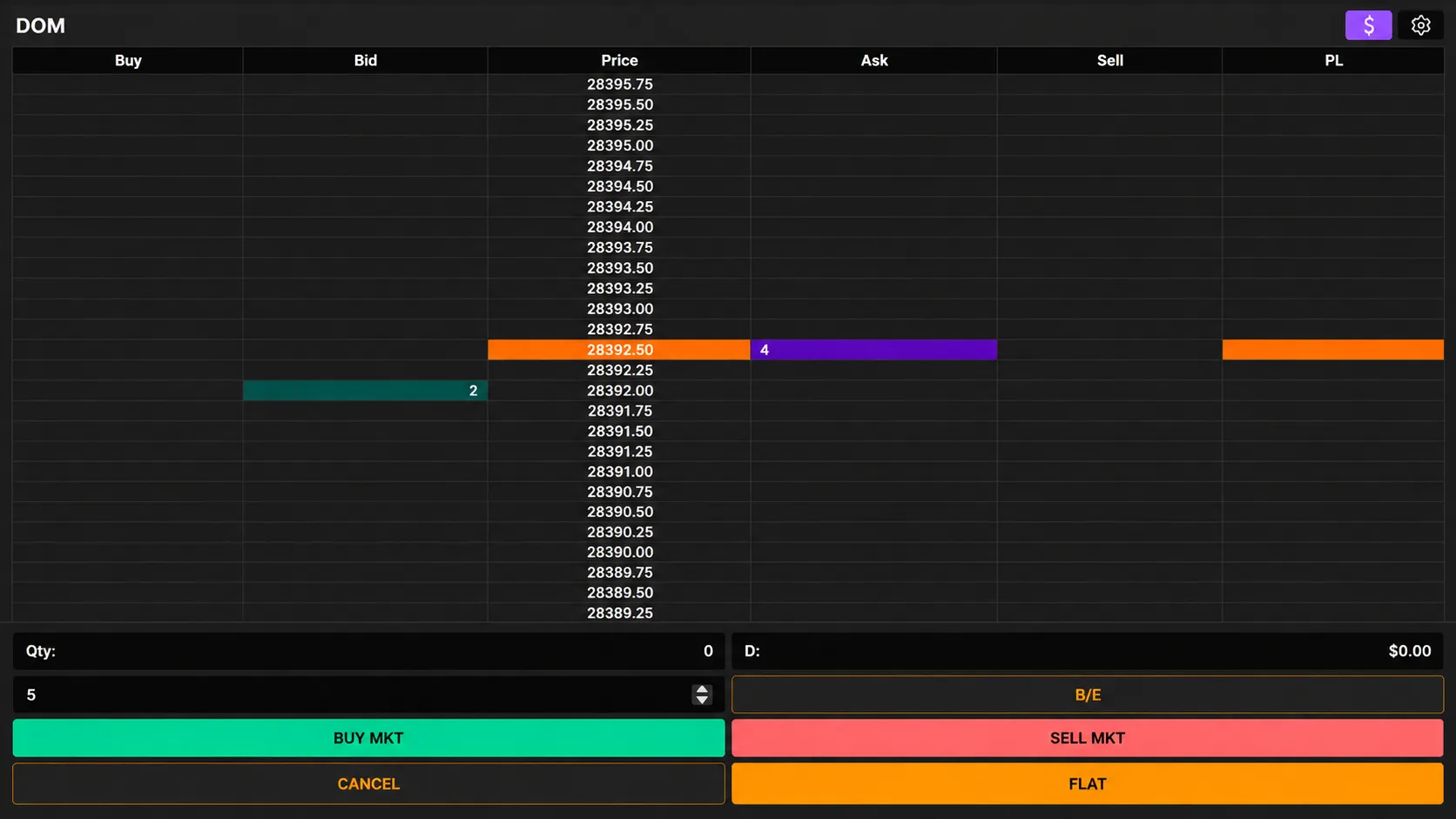
On Volumetrica Web, the DOM can be opened with the DOM button located in the upper right part of the screen.
Upon opening, the order book of the selected instrument appears, by default in the Vertical Book view.
Traders of Solo Clash can use the Volumetrica Web platform with the access at their disposal.
The Vertical Book user interface
In the DOM of Volumetrica Web, alongside Bid, Price, and Ask, further columns also feature:
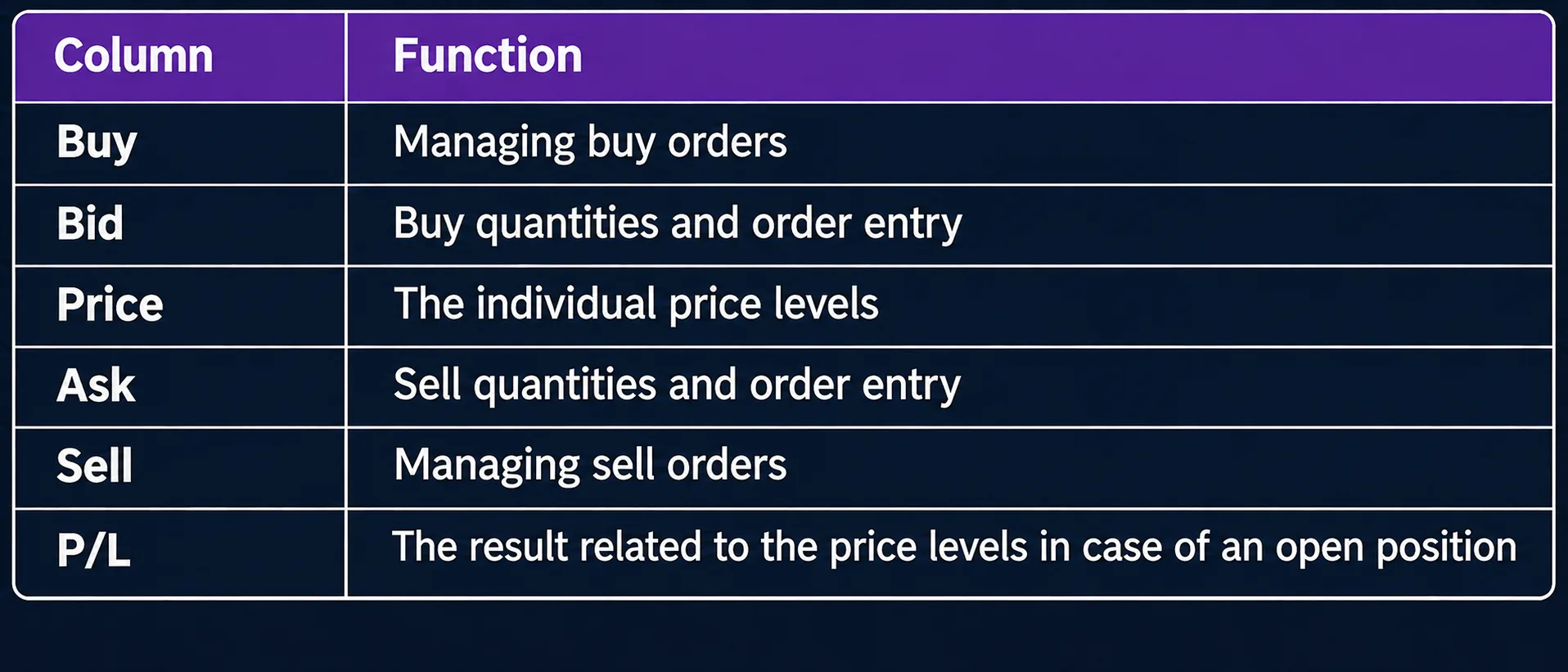
The $ icon located in the upper right corner serves to open the trading panel of the DOM, and the gear next to it makes the display settings available.
On the lower trading panel can be found the entry of the contract quantity, as well as the BUY MKT and SELL MKT buttons belonging to direct market orders.
CANCEL is a control serving for the cancellation of pending orders, and FLAT for the closing of the open position. These perform different operations, therefore their function must be interpreted separately.
Placing orders on the DOM
On the DOM interface of Volumetrica Web, the type of click, as well as the selected column and price level determine what order is created.
The official DOM documentation describes the following operation:
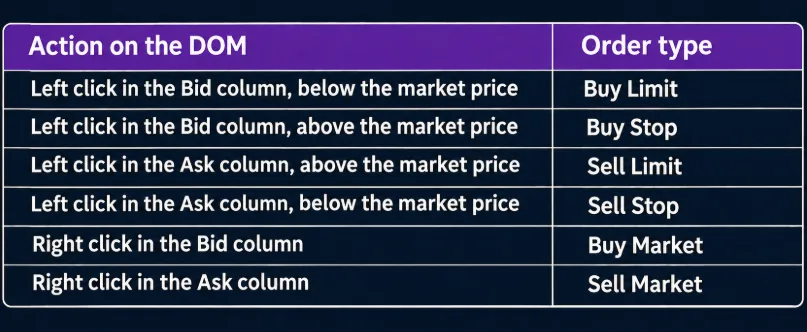
A left click can therefore create a limit or stop order depending on the selected price level.
A right click in the Bid or Ask column can initiate a direct market order.
The operations can result in an actual trading instruction. The practical demonstration of the operation of the platform should therefore exclusively happen in an appropriately isolated simulation environment.
Operation of order types
The different order types possess different execution conditions.
Limit order
It can be executed at the specified limit price or at a more favorable price. Alongside the determined price limit, execution is not guaranteed.
Market order
It can be executed based on the available opposite-side liquidity. The actual execution price can differ from the best price visible when sending the order.
Stop order
It contains an activation condition connected to a determined price. Reaching the stop price does not in itself guarantee execution. The exact mode of exchange execution depends on the supported order type.
Stop-limit order
After the fulfillment of the activation condition, it operates as an order tied to a limit price. If alongside the specified conditions there is no appropriate opposite-side quantity, the order can remain unexecuted.
Modification and cancellation of pending orders
In the DOM of Volumetrica Web, pending buy and sell orders can be managed through the Buy and Sell order management columns.
Based on the official documentation, already placed pending limit and stop orders:
Can be moved to another price level by dragging with the left mouse button.
Can be canceled with a right click.
The interface this way makes the direct management of orders possible on the price ladder. The result of the actual modification or cancellation can depend on the status of the order and the confirmation of the trading system too.
Three frequent mistakes when using the DOM
1. Misinterpreting the waiting quantities
A larger Bid or Ask quantity visible at a price level can easily receive exaggerated significance.
The quantities featuring in the book, however, can change, and are not identical to the volume of trades already executed at the given price level.
The DOM shows the order book available at a given moment. The later price movement cannot be securely determined from this in itself.
2. Confusing the click operations
In the DOM, the left and right mouse buttons can create a different order type.
In the case of limit and stop orders, the selected price level also has a determining role.
Misunderstanding the operation of the interface can therefore lead to the sending of an order different from the intended one.
3. Wrong account, instrument, or quantity
When using multiple futures contracts or trading accounts, it can occur that the previously selected instrument or account remains active.
From the perspective of the order, the instrument, the expiration of the contract, the active account, and the specified quantity are equally essential.
These determine for what product and through which account the trading instruction is sent.
Summary
The DOM displays the buy and sell limit orders waiting at individual price levels. The change of data gives an insight into the shaping of the momentary order book, while the trades executed at individual price levels can be followed as separate information.
The Vertical Book view of Volumetrica Web connects market depth with direct order management functions. During the use of the interface, the meaning of the columns, the operation of the order types, and the limitations of the data connection equally determine how the displayed information can be interpreted.
Are you interested in further futures and platform guides too?
Subscribe to the Solo Clash newsletter to be informed about our newest articles, changes, and important information.
Subscribe to the newsletter →
The article serves exclusively educational and informational purposes. It does not qualify as financial, investment, or trading advice. The user interface and certain functions of the platform can differ depending on the version, data connection, and account settings.